Android Shutdown Sequence
How Android shuts down gracefully, and how Automotive differs from a phone
1 min read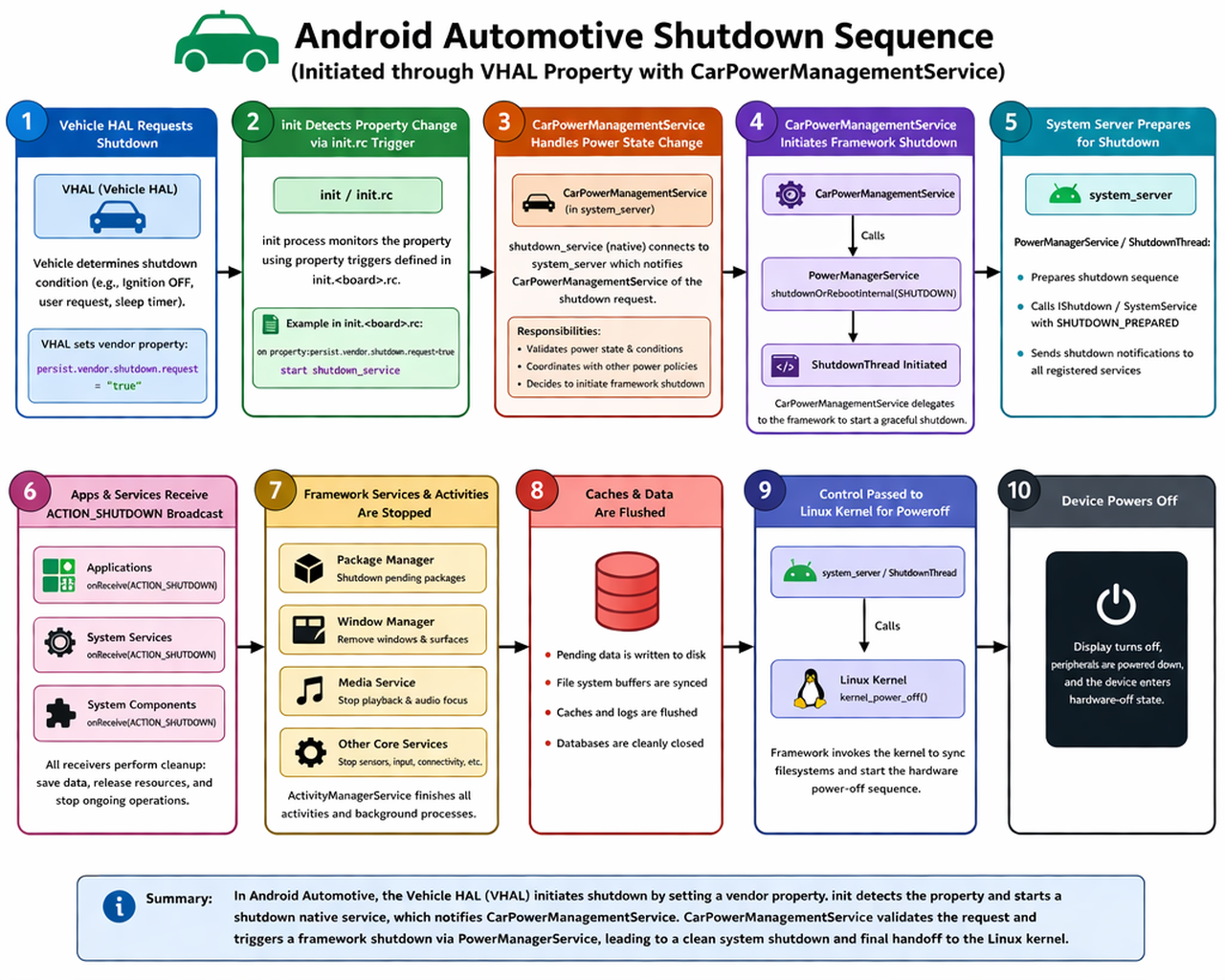
Every time Android shuts down, a precise chain of events ensures apps get a chance to save state, services stop cleanly, data is flushed, and only then does the kernel power off the hardware. The sequence differs significantly between a regular phone and an Android Automotive device.
Phone Shutdown: SystemUI Triggers It
On a regular Android phone, the user presses and holds the power button. The kernel sends a key event which SystemUI intercepts. SystemUI displays the power menu (Power off, Restart, Emergency). When the user taps Power off, SystemUI calls PowerManager.shutdown() which crosses into PowerManagerService inside system_server, and from there ShutdownThread takes over to orchestrate the graceful shutdown.
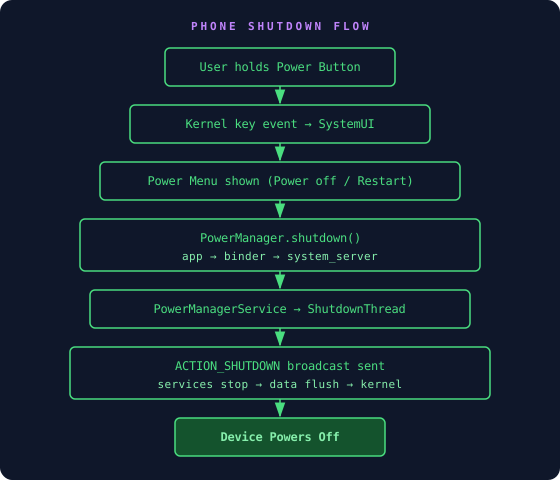
Phone Shutdown Flow
Automotive Shutdown: VHAL Triggers It
In Android Automotive, there is no user holding a power button the same way. The vehicle itself decides when to shut down, for example when the ignition is turned off, a sleep timer expires, or the vehicle enters a power-saving state. The Vehicle HAL (VHAL) communicates this to Android by setting a vendor property.
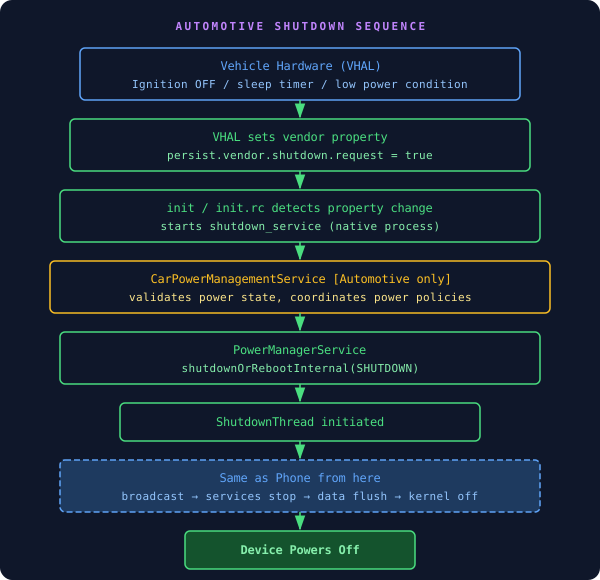
Android Automotive Shutdown Sequence
How Phone and Automotive Differ
- ▸Trigger origin: Phone shutdown starts from a user gesture on SystemUI. Automotive shutdown starts from the vehicle hardware via VHAL setting a vendor property
- ▸Entry path: Phone goes PowerManager API → PowerManagerService. Automotive goes init.rc property trigger → native shutdown_service → CarPowerManagementService → PowerManagerService
- ▸CarPowerManagementService: This service exists only in Android Automotive. It acts as the gatekeeper between vehicle power events and the Android framework, validating conditions and coordinating power policies before handing off to the standard shutdown path
- ▸From ShutdownThread onwards, both paths are identical: broadcast, services stop, data flush, kernel power-off
- ▸Automotive must also handle cases like deferred shutdown (vehicle still needs data logging), pre-shutdown tasks (uploading telemetry), and wake-up scheduling for the next ignition cycle
What Happens to Apps During Shutdown
- ▸ACTION_SHUTDOWN broadcast is sent to all registered receivers. Apps use this to save state and release resources
- ▸ActivityManagerService finishes all activities and background processes gracefully
- ▸PackageManagerService shuts down any pending package operations
- ▸WindowManagerService removes all windows and surfaces from the display
- ▸MediaService stops playback and releases audio focus
- ▸All pending disk writes are flushed and databases are closed before the kernel is called