← Back to Blogs
VHAL: How Vehicle Data Flows in Android Automotive
From sensors to your infotainment screen VHAL, PropertyStore, and the end-to-end data flow explained
1 min read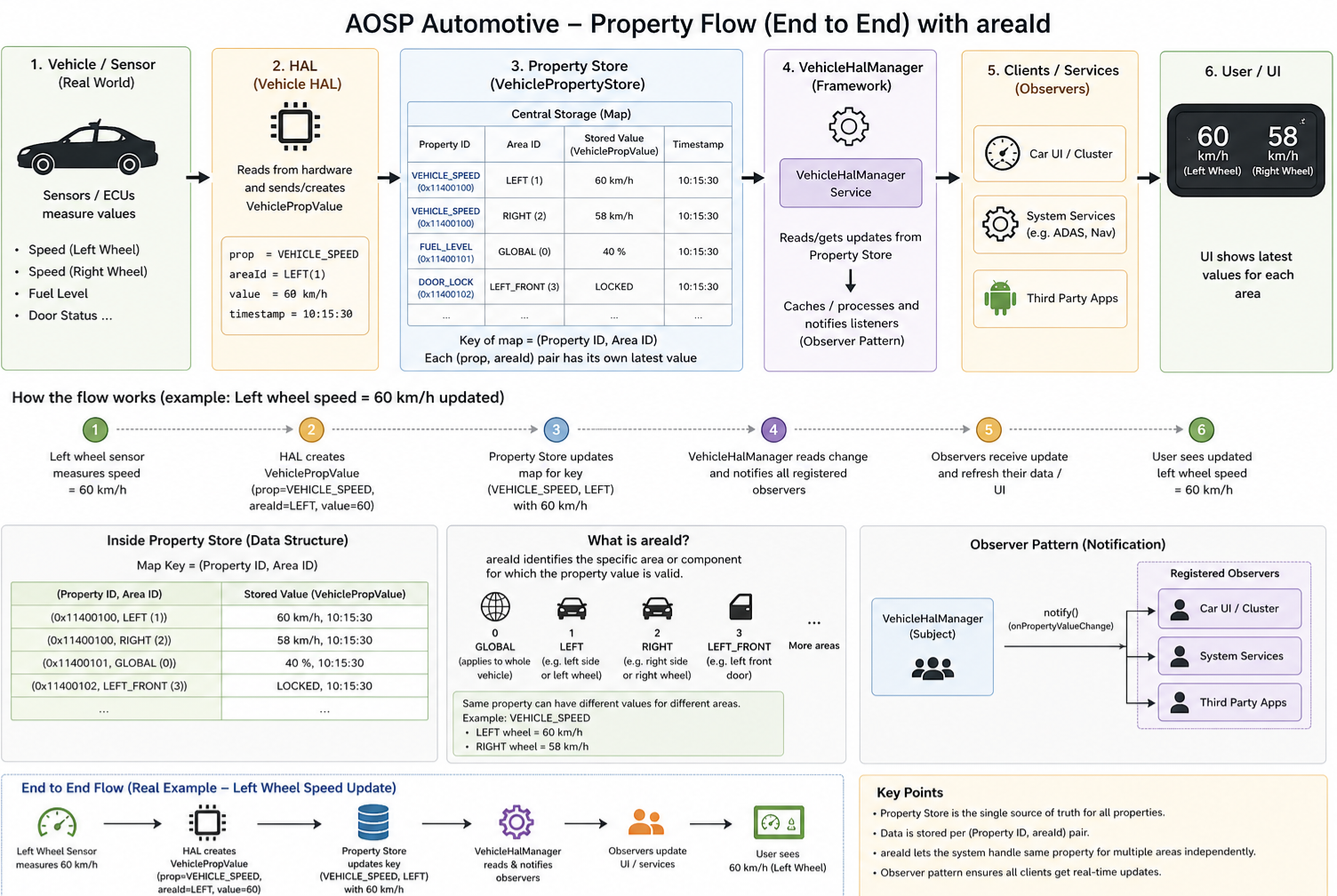
Ever wondered how vehicle sensor data ends up on your infotainment screen? From wheel speed to fuel level, there's a well-orchestrated flow behind the scenes and VHAL (Vehicle HAL) sits right at the center of it.
What role does VHAL play?
Acts as the bridge between vehicle hardware (ECUs/sensors) and the Android framework. It translates raw signals into structured data the system understands.
What is PropertyStore?
A central in-memory store inside VHAL that holds the latest state of all vehicle properties.
How is it implemented, which data structure is used?
std::unordered_map<(propId, areaId), VehiclePropValue> → ensuring fast lookup and updates for real-time data.
What is areaId?
It defines where the data belongs. Same property, different areas:
- ▸Left wheel speed vs Right wheel speed
- ▸Driver door vs Passenger door
End-to-end flow
Sensor → VHAL → PropertyStore → VehicleHalManager → Apps/UI
What's often missed?
- ▸Observer pattern ensures real-time updates to all clients
- ▸PropertyStore is not directly accessed only via VHAL
- ▸Supports multi-area + timestamped data for accuracy
This architecture is what makes modern IVI systems responsive, scalable, and reliable.